
NICMOS Instrument Handbook for Cycle 11
 |
 |
 |
 |
|
| NICMOS Instrument Handbook for Cycle 11 | |||
|
WWW Access to the Exposure Time
Calculator
The ETC tool can be found on the NICMOS web site at
Figure 9.1: ETC Web interfacehttp://www.stsci.edu/cgi-bin/nicmos. Figure 9.1 through Figure 9.5 below show the graphical user interface.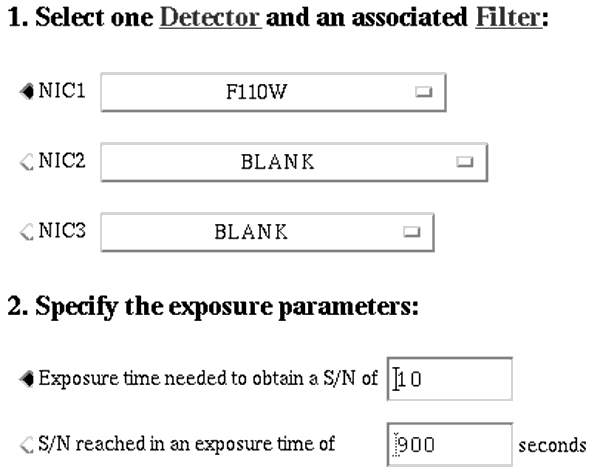
Section 1: Select a detector and available filter.
Section 2: Specify wether you want your observation parameters to be calculated for a given exposure time or a required signal to noise limit.
Figure 9.2: ETC web interface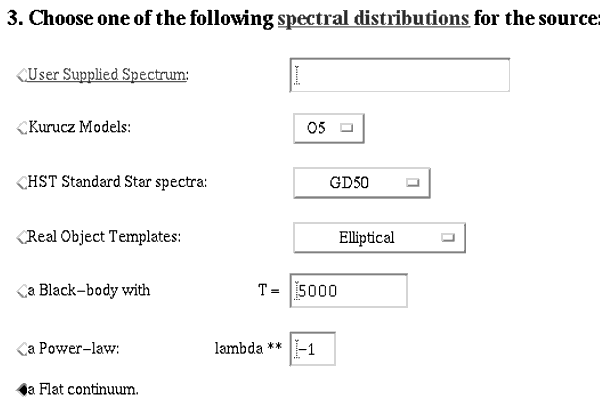
Section 3: Specify the parameters for the source you wish to observe.
User Supplied Spectrum: This is accomplished by placing the user input spectrum in an ftp staging area, which the program will load for the simulation. This "staging area" is the anonymous ftp directory:ftp.stsci.edu:/outside-access/in.coming
Figure 9.3: ETC web interface
Kurucz Model: These model spectra are calculated from the Kurucz database (Dr. R. Kurucz, CD-ROM No. 13, GSFC) which have been installed in the Calibration Database System (CDBS).HST Standard Star Spectra: These spectra are available in CDBS and were chosen from the paper Turnshek et al., 1990, An Atlas of HST Photometric, Spectrophotometric, and Polarimetric Calibration Objects.Real Object Templates:Observed object spectra that are on-line.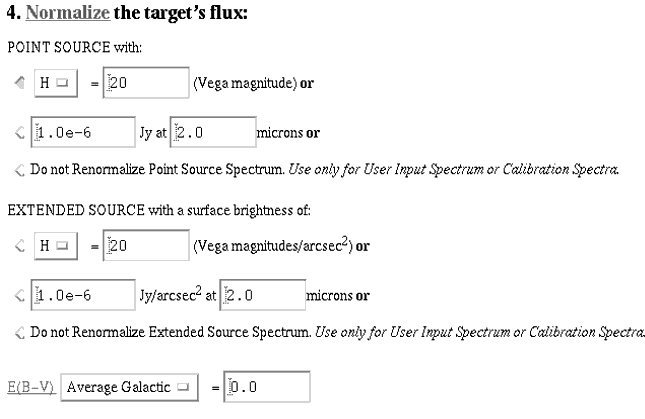
Section 4: Normalizing the source flux. Whether supplying your own spectra or using one of the supplied model spectra, the source's continuum flux needs to be normalized at some wavelength. This wavelength needs to be within the wavelength range of the input spectrum. The ETC will use it only for normalization and calculate the appropriate flux values for the wavelength range of the observations. If your object is point-like, it can be normalized to a magnitude at a particular Johnson band, or it can be normalized to a flux [in Janskys] value at a given wavelength.
If you supply your own spectrum or use one of the HST calibration sources, you can either normalize this spectrum to a fixed value, or you can use the "Do not renormalize" option on the form. In this case the spectrum must be in a form acceptable to SYNPHOT. The simplest form is an ASCII file with two columns, wavelength in Ångstroms, and a flux in ergs-1cm-2 Å-1. For an extended source, you must specify the surface brightness.
E(B-V): The flux is normalized after the extinction is taken into account so that it always corresponds to the observed flux. The ETC supports two different extinction laws:
-An average Galactic extinction law taken from Seaton (MNRAS, 187, 73p, 1979)
-An LMC extinction Law taken from Koorneef & Code (ApJ, 247, 860, 1981).
Figure 9.4: ETC web interface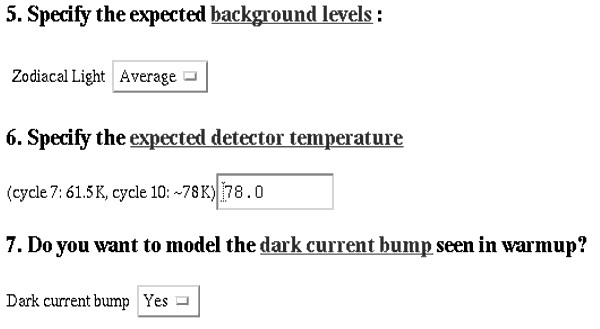
Section 5: Specify the expected background levels. Currently only one model is provided, regardless of choices made here: a zodiacal light level corresponding to a 45 degree elevation above the ecliptic. In future more choices (low and high zodiacal levels and earthshine) may be added to the calculator.
Sections 6 and 7: The detector temperature option was added to allow users to estimate exposure times in the NCS era of NICMOS operations. During end of life, a large rise and decline in the dark current (known as "the bump") was observed over the predicted temperature range of NICMOS operation in Cycle 11. Since it is currently unknown whether this event will repeat itself after NCS is installed, the user should choose to include it's effect in the exposure time calculation for Phase II of the proposals. A detector temperature of 78K should be used for Cycle 11 proposals.
Figure 9.5 shows an example output page that is returned to the user. It contains the suggested exposure time, target signal to noise and the chosen observation parameters.
Figure 9.5: Returned output to the user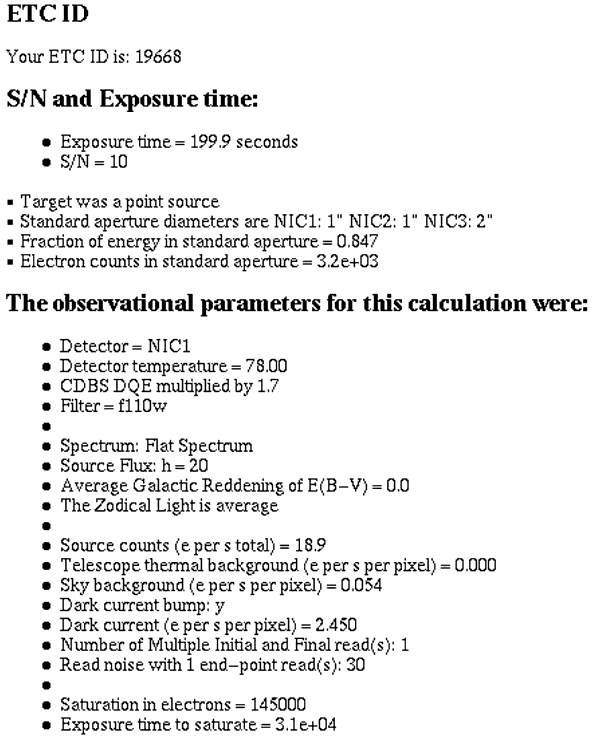
|
Space Telescope Science Institute http://www.stsci.edu Voice: (410) 338-1082 help@stsci.edu |
| |
|
|
|